AI will confidently generate content. It will also confidently make things up.
Without structure, AI becomes unpredictable. With Copilot Studio, we can design agents that operate reliably following clear instructions, leveraging structured knowledge sources, and triggering automated flows only when conditions are met.
Making it reliable was the real challenge, as it required ensuring the agent consistently produced accurate, context-aware, and trustworthy outputs, avoided generating incorrect or misleading information, relied strictly on validated data sources, and behaved predictably across different scenarios rather than responding based on assumptions or inferred context.
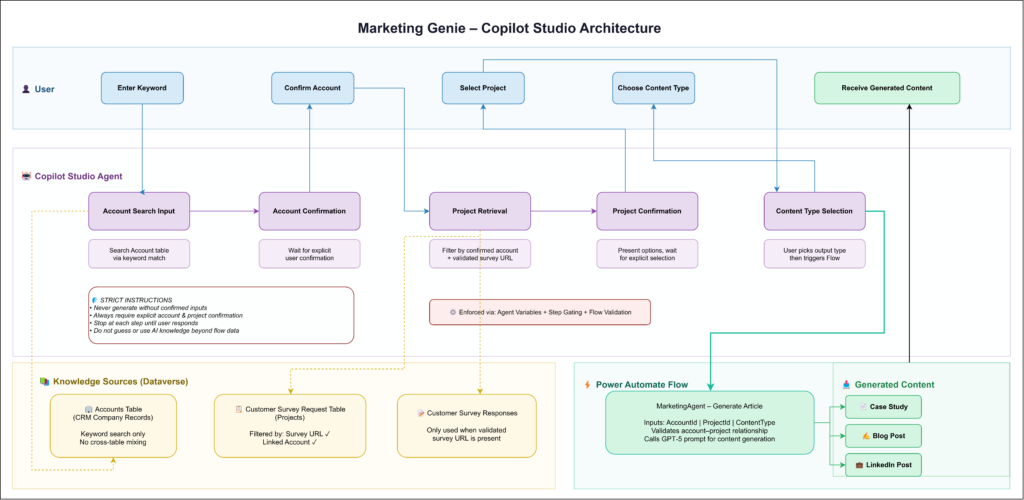
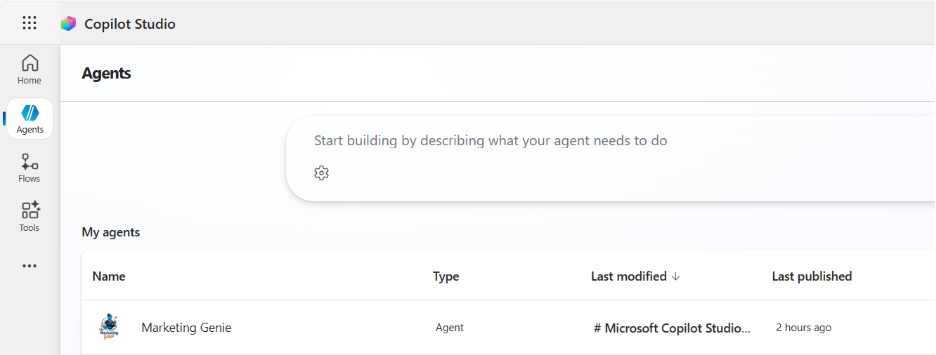
So, we built Marketing Genie, a Copilot Studio agent that takes structured data from Dataverse Accounts, Projects, and Customer Survey Responses, then produces case studies, blog posts, and LinkedIn content.
The goal was simple: to turn verified data into marketing content without assumptions or errors.
The Problem
Ask a typical AI to write a case study, and it’ll generate something that sounds legitimate, complete with made-up metrics, fictional quotes, and project details pulled from nowhere.
Fine for brainstorming. Disaster for client-facing content.
We needed an agent that refuses to generate anything until it has confirmed, verified data. One that asks, waits, and only proceeds when certain.

Topic Design: Controlling the Workflow
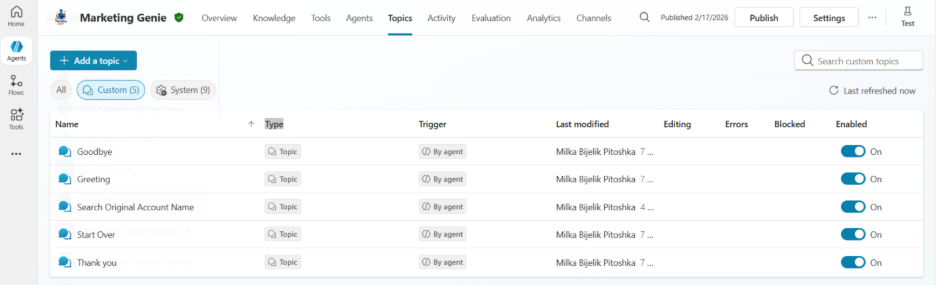
Topics in Copilot Studio define step-by-step flows. Each topic behaves like a state machine, advancing only when specific conditions are met.
Marketing Genie follows five stages:
Account Search – User provides a keyword. The agent searches in the Account table only. Even with a single match, it presents the result and waits.
Account Confirmation – The agent asks: “Is this correct?” It won’t move forward without explicit confirmation. This sounds tedious. It prevents expensive mistakes.
Project Retrieval – Only after account confirmation does it pull projects, and only those linked to the confirmed account with validated survey URLs. No survey responses mean no project retrieval. The agent won’t fabricate what it doesn’t have.
Project Confirmation – Same pattern. It presents options and waits for explicit selection. No auto-selection, even for single results.
Content Selection – User chooses the output type. Only then does generation begin.
This structure ensures no assumptions are made, even if only one account or project exists.

Knowledge Sources: Where Data Comes From
We strictly separate data sources for reliability.
Client accounts are searched only in the Account table; these are company records in our CRM. Keyword matching ensures flexibility without risk of misalignment. Projects are retrieved only from the Customer Survey Request table, filtered by survey URL, and linked accounts and projects.
This guarantees the agent never mixes up accounts and projects, and never generates content based on unverified data.


Flows: Automating Content Generation
When the user confirms the account, project, and content type, the agent triggers a Power Automate flow.
The flow receives three parameters: AccountId, ProjectId, and ContentType.
Before generating anything, the flow checks that the selected project is actually linked to the selected account. Then it uses a carefully crafted prompt to generate content that meets our requirements.


Instructions: Enforcing Strict Execution
Copilot Studio allows explicit behavioral rules. Ours are uncompromising:
- Never generate content without confirmed inputs
- Always require explicit confirmation for account and project selection
- Stop at each step until the user provides input
- Do not guess or use AI knowledge beyond flow data
These aren’t any suggestions. They’re enforced through agent variables, step gating, and flow validation, turning the agent into a reliable business operator rather than just a chatbot.

Why It Matters
Anyone can build an AI agent. Getting it to behave consistently in production is another story.
The temptation is making agents “smarter”, letting them gather and shortcut faster outputs. But speed without accuracy creates more work. Someone still has to verify everything the AI produces.
The output requires minimal review because every input was verified along the way. The same pattern works beyond marketing: data retrieval agents that confirm before acting, report generators that validate sources before compiling, workflow assistants that checkpoint instead of assuming.
Key Takeaways
Structured topic design plus strict instructions equal predictable agent behavior. Knowledge sources must be explicit and isolated to prevent data errors. Flows act as the single source of truth for content generation. Explicit user confirmations are essential for enterprise-grade reliability.
By combining these elements, you can build agents that don’t just chat; they execute business logic accurately and consistently.