
Our BA team tested real Databricks Genie BA use cases: data quality checks, pipeline validation, and dataset comparison. Here’s what works, what doesn’t, and where preparation makes the difference between useful answers and confident mistakes.
Genie handles more than simple counts – a question like “Show me orders confirmed in the fulfilment table but missing from the weekly distribution summary for week 12, including customer details” generates a structured, multi-table query in seconds.
Last month, a stakeholder pinged us at 3pm asking why eligible customer counts in the mart didn’t match the source system. We opened a Genie space and asked it to compare counts across staging, intermediate and mart layers for a specific country and week. Within two minutes, Genie returned a query, identifying exactly where the drop occurred.
That’s the good version. Earlier, we asked Genie a similar question on a poorly documented dataset and shared a wrong number with confidence. A hidden many-to-many join had multiplied the results. No warning. As complexity grows, the quality of metadata and join definitions is what separates fast answers from reliable ones. Both stories are the point.
Why Do BAs Spend So Much Time on Data Mechanics?
BAs lose hours writing repetitive SQL for profiling and validation. The thinking takes minutes. The data retrieval takes hours. Genie targets this gap by handling the plumbing so BAs can focus on meaning.
If you’re a BA on data projects, you know the pattern. A new dataset lands. You need row counts, null rates, value distributions, date ranges.
You write SQL. Lots of it. Then a stakeholder asks a question, and you write more. Someone changes a pipeline, and you validate it the same way.
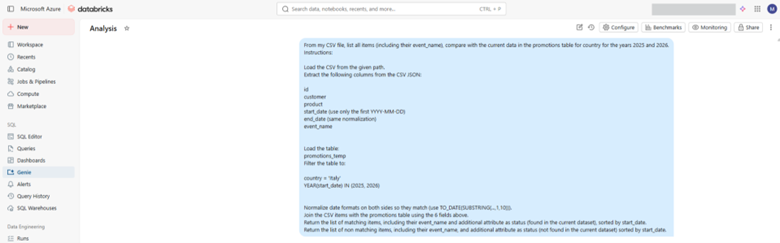
A Genie space in action: natural-language question as input.
How Does Genie Handle Data Quality Checks?
Genie can profile a large extract against a master table in minutes through plain English questions. The catch: you need to set up joins when column names don’t match across tables.
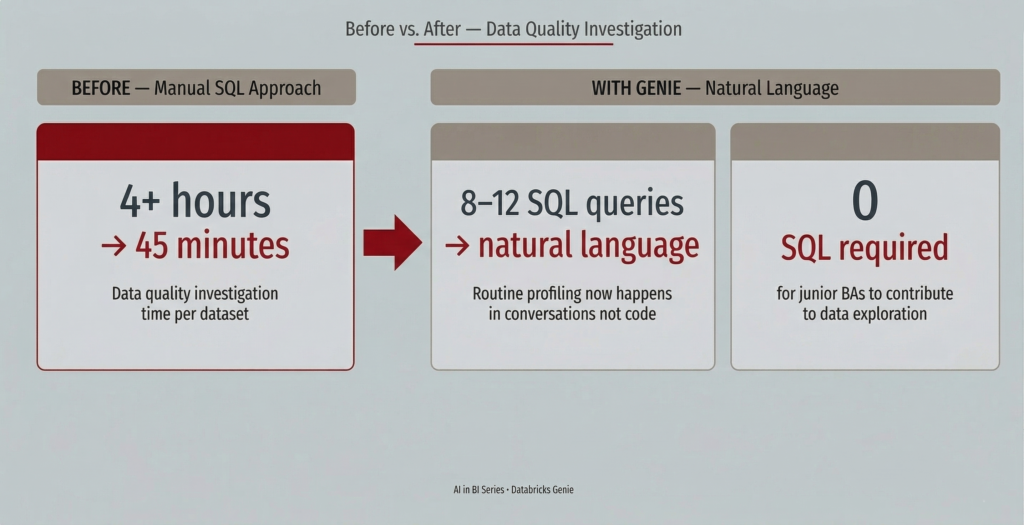
We had a customer extract that needed checking against the Databricks tables. Before Genie, that meant 8-12 SQL queries. Profile each column. Build the join.
With Genie, we uploaded the extract as a Delta table and started asking questions. “How many records have a null Region?” “Show me records that don’t exist in the master table.” Each answer came in seconds.
Where the eye of a BA matters: Genie surfaced nulls, unmatched records, and other anomalies, however it couldn’t tell us what was problematic and what was expected. BAs define thresholds and JOINS in Genie, then review the SQL before trusting the results and ensure they reflect business logic. Genie won’t flag when a join produces incorrect or misleading results.
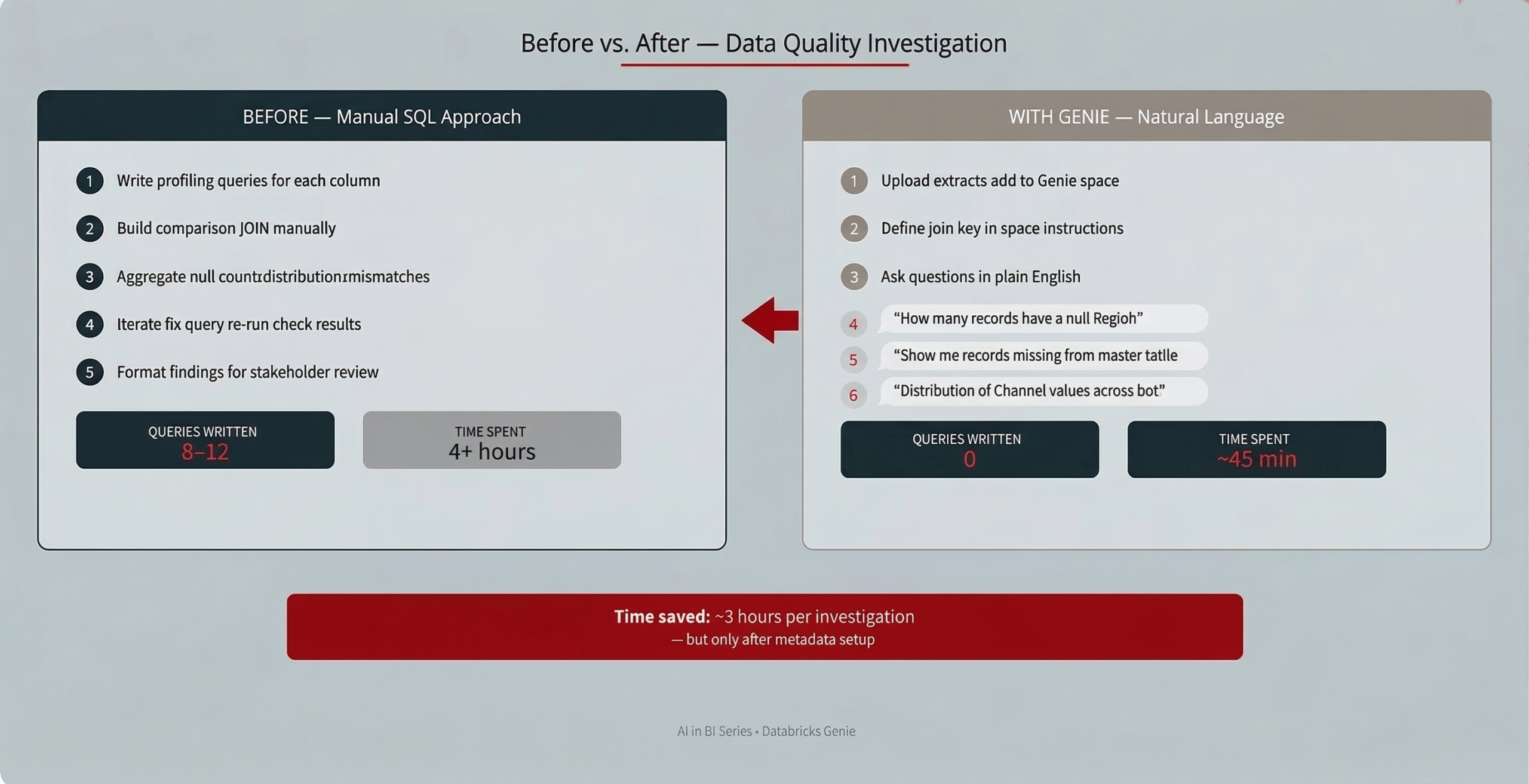
Before vs. After: Data Quality Investigation. Time saved: ~3 hours per investigation, but only after metadata setup.
Does Genie Work for Pipeline Validation?
When tables share the same structure and a clear key, Genie excels at before-and-after comparisons. This scenario was Genie at its best, fast and accurate.
Engineering fixed a pipeline producing null values in a depth_value field. We had before-and-after snapshots. Were the nulls resolved? Did the fix break anything else?
With Genie: “Show me records where depth_value was null in the old table but filled in the new one, for 2023-2024 campaigns.” Clean, fast, and accurate. We followed up to confirm that no other fields or records were impacted. Both queries ran in seconds.
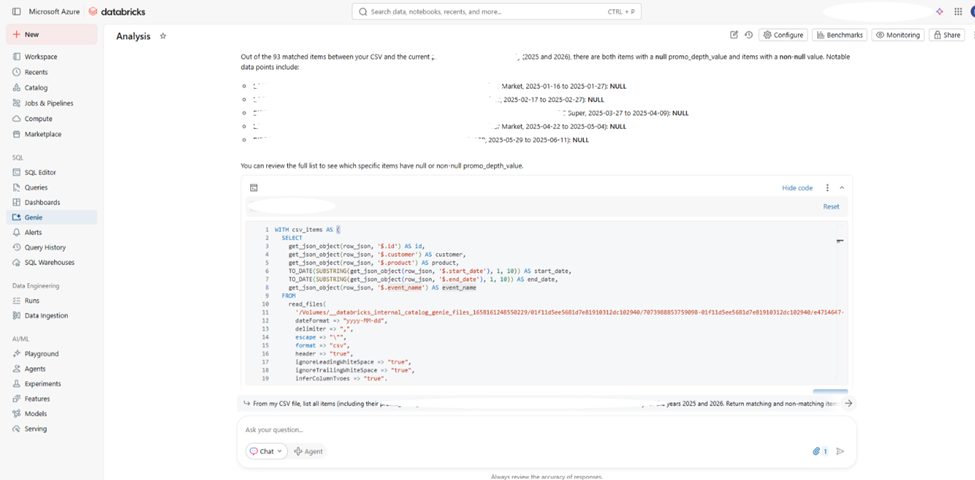
Every Genie answer is backed by SQL you can inspect. This is where a senior BA catches a wrong join or missing filter.
Can Genie Support a Source Switch Analysis?
Genie can compare datasets and surface overlap percentages, and BA judgment is still essential to interpret what the differences mean.
We were validating a source switch: a new system was replacing a legacy feed, and we needed to confirm the new source was a safe replacement before decommissioning the old one.
With Genie: we ran the structural check: row count, date ranges, field coverage overlap, distinct value comparisons. Genie told us there was 87% row overlap.
Where Genie stopped: it couldn’t determine that a standardized product name in one dataset corresponded to a raw source-system name in another. That answer came from defining mapping rules and aligning a shared product definition with the business.
Genie Capability → BA Task → Impact: How each feature translates to real workflow improvements.
” Genie gave us the evidence. We supplied interpretation. That’s the right division of labor.”
Where Genie Delivers and Where It Falls Short
Genie doesn’t flag uncertainty. It returns wrong answers with the same confidence as the right ones. This is the key thing to know before you trust any output.
What works great: Data profiling, before-and-after comparisons on clean tables, quick ad-hoc queries when someone needs a number in 10 minutes. Genie shines when the question is clear and the data is well-described.
What’s limited: Multi-table joins are risky without setup. Complex logic like churn rules or fiscal calendars must be pre-built in your Unity Catalog or Genie space setup.
The bonus: Junior BAs who weren’t confident writing SQL could suddenly explore data on their own. That shifted them from waiting for help to adding to analysis. A real capability multiplier for the team.
What Investment Does Genie Need?
Genie is most powerful when you’re most prepared. Without preparation, every answer carries a silent question mark. The investment has three layers.
First: Unity Catalog metadata. Column comments, table descriptions, documented value sets. This gives Genie ground to stand on.
Second: Genie space setup. How tables join, how metrics are defined, where the known limits sit. Business rules live here.
Third: The BA check. Always click “View SQL” before sharing any result outside your team. Two minutes of review saves two days of credibility repair.
One non-negotiable rule: always click “View SQL” before sharing any Genie result externally.
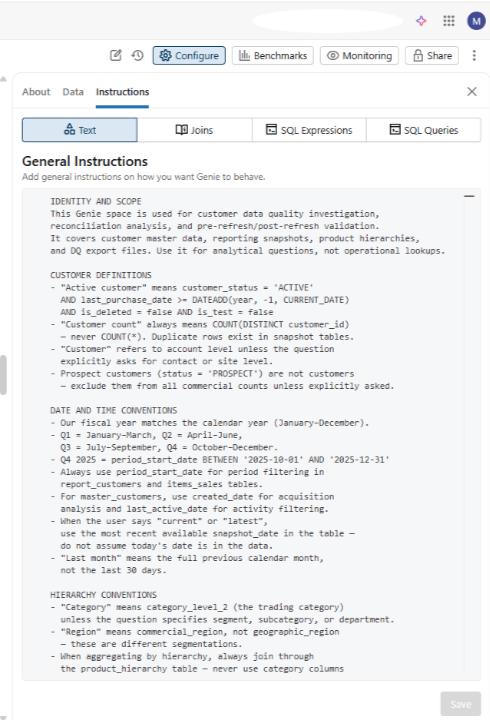
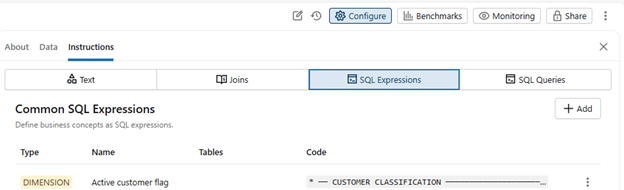
The Genie space configuration panel: where a BA encodes business rules, defines joins, and sets the guardrails that make Genie trustworthy.
Try It Yourself
Pick one well-documented dataset, create a Genie space, and ask five questions you’d normally answer with SQL. You’ll know within thirty minutes whether Genie earns a spot in your workflow.
If your team has Databricks access, spend an hour adding column comments first. Then start asking questions in plain English. We’d love to hear what you find. Reach out via our website contact forms or on social media.
This post is part of our “AI in BA” series, where our BA practice shares hands-on experience with AI tools. Next up: how Atlassian’s Rovo is reshaping requirements work in Jira.